These settings apply to XCM 2015 only. Chrome provides two options for enabling Pop-ups, choose one below.
Disable Cache
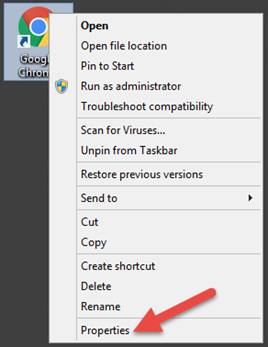
Chrome’s caching behavior is controlled by modifying the shortcut parameters that start Chrome. On your desktop, right-click the Google Chrome shortcut and select Properties from the menu that appears.
The Google Chrome Properties screen will appear. By default, the text in the Target field is: "C:\Program Files (x86)\Google\Chrome\Application\chrome.exe"
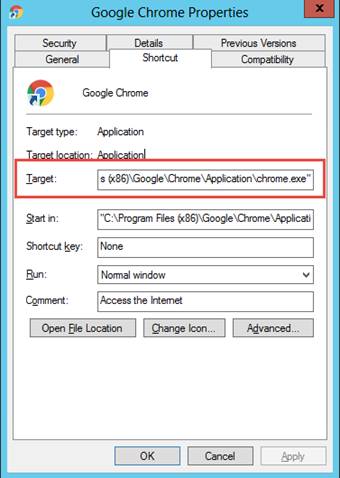
Add this additional text to the end of the above Target entry (those are double dashes before disk and media, and make sure to first add a space):
--disk-cache-size=1 --media-cache-size=1
The entire entry will now be:
"C:\Program Files (x86)\Google\Chrome\Application\chrome.exe" --disk-cache-size=1 --media-cache-size=1
Click the OK button to save your changes to the shortcut and exit.
Enable All Pop-ups
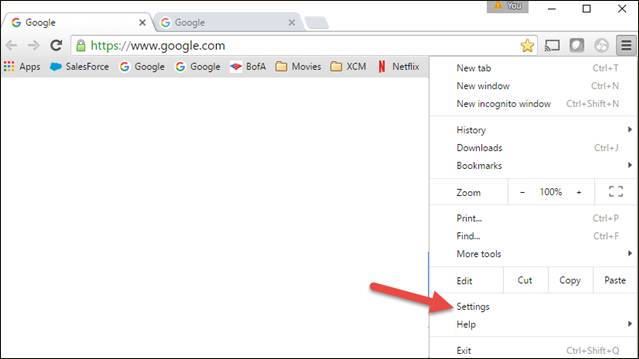
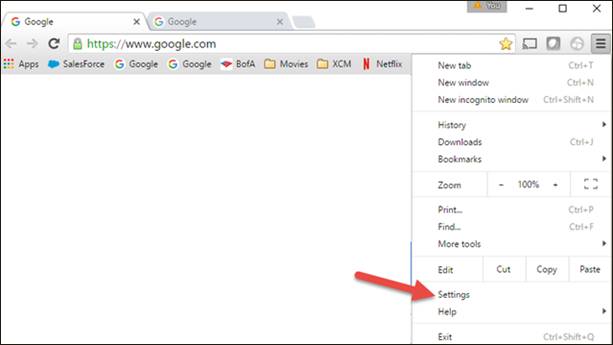
Open Chrome and click the three lines in the upper-right corner. Click Settings from the menu that appears.
On the Settings window that appears, click Show Advanced Settings to be able to scroll down further.
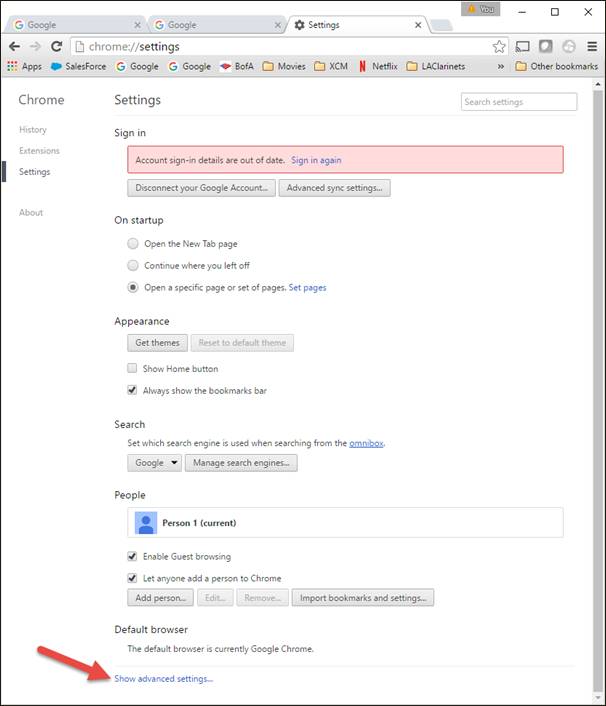
Find the Privacy header, and then click the Content settings… button.

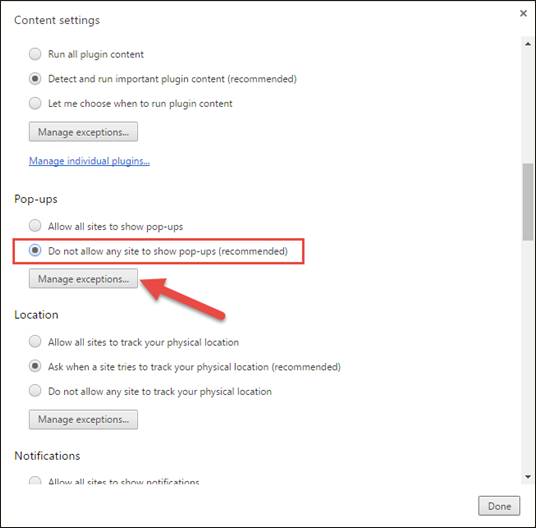
On the Content settings screen, scroll down to the Pop-ups header, and then click the radio button next to Allow all sites to show pop-ups.
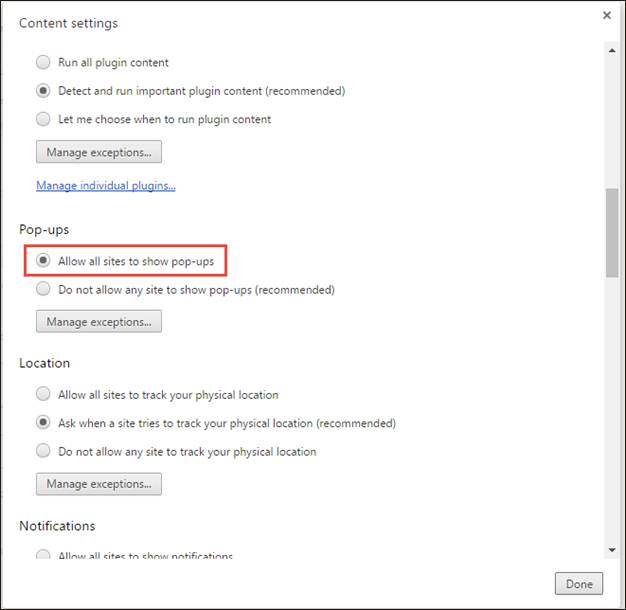
Click the Done button to save your changes and exit.
Enable Pop-ups For Only The XCM Site
Open Chrome and click the three lines in the upper-right corner. Click Settings from the menu that appears
On the Settings window that appears, click Show Advanced Settings to be able to scroll down further.
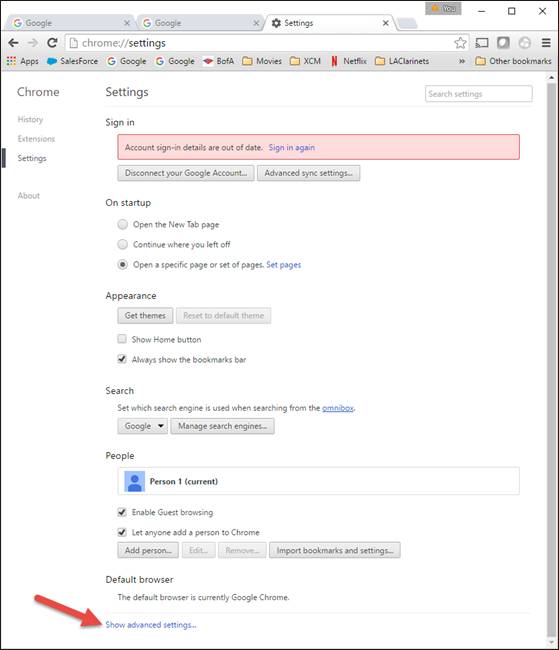
Find the Privacy header, and then click the Content settings… button.
On the Content settings screen, scroll down to the Pop-ups header, and then click the radio button next to Do not allow all sites to show pop-ups (recommended). Click the Manage exceptions… button.
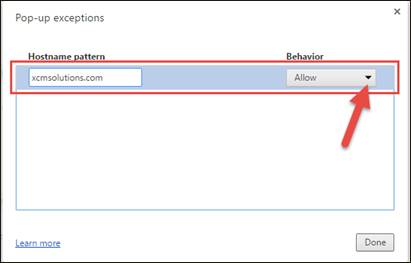
On the Pop-up exceptions screen, in the Hostname pattern box, type xcmsolutions.com, select Allow in the Behavior list box, and then click the Done button to save your changes.